A whole machine for the agent.
None of it is yours.
sandbox-cli gives any command — a test suite, a build, Claude Code or Codex at full autonomy — a disposable microVM, on your Mac, a Linux machine you control, or the cloud, behind one API. A sandbox starts in a home directory of its own and nothing on your machine is mounted in; egress is an allowlist of names enforced outside the guest.
Apple silicon (macOS 26) or Linux with KVM client on macOS · Linux · WindowsMIT licensed · written in Go
$git clone https://github.com/Amitgb14/sandbox-clicd sandbox-cli && make studio buildinstall -d ~/.local/bininstall -m 0755 bin/sandbox-cli bin/sandboxd bin/sandbox-guestd ~/.local/bin/
The first microVM release is not out yet: 0.0.1 is the container design's, so the install script would refuse it. This builds sandbox-cli (with Studio's UI; Node 20+), sandboxd and the guest agent, and installs them side by side; starting sandboxd is one step in the setup guide below.
then
$sandbox-cli run -- uname -aa fresh VM, its own kernel$sandbox-cli agent claudea coding agent, its login kept$sandbox-cli listwhat is running, wherever it runs
- awaiting a command…
- ~80 ms
- to a running VM
- Firecracker, image cached
- <1 ms
- from a pool
- sandboxes booted ahead
- 0
- host paths mounted
- nothing on your machine is mounted in
- 1
- API, three places
- your Mac, your Linux box, the cloud
Autonomy is what makes agents useful.
Your machine is what it puts at risk.
An agent earns its keep the moment it stops asking permission for every edit — and the same flag hands a non-deterministic process your home directory, while prompt injection turns text somebody else wrote into commands your shell runs. The answer is not a better prompt. It is a machine of its own.
- Reads ~/.ssh, ~/.aws, cloud tokens, browser cookies
- One hallucinated path and the blast radius is your whole disk
- A poisoned README turns into local execution
- A container shares your kernel: one bug from the host
- Nothing of yours is mounted — there is nothing to read
- It starts in its own home directory; nothing comes back but the agent's login
- Injection lands in a VM that is discarded with the sandbox
- Its own kernel, behind a hypervisor, not a namespace
This is the default when you run an agent with “Allow All” on your machine. Pick a path to read what is at stake.
Tighten, never loosen
The server's policy is a ceiling every request is resolved against: a request may ask for less network, fewer resources, a narrower allowlist — never more. A repository's own .sandbox.yaml is untrusted and may only tighten your config.
The guest is hostile
The host talks to one agent in the VM over a bounded protocol and never acts on what the guest volunteers. Nothing in the guest can name a host path for the host to read, and the only thing that comes back is the agent's saved login.
Fail closed
A control that was asked for and cannot be delivered refuses the run. A backend that cannot enforce an allowlist says so in its capabilities, and the request is refused — never served open, never quietly offline.
Your Mac, your own Linux box, or the cloud
sandboxd serves the API on each machine. The same request means the same thing on all three; what differs is what each machine can deliver, and the API says so rather than letting you find out.
Local
your Mac
- runs on
- the native container runtime — a VM per sandbox
- needs
- macOS 26 on Apple silicon
- good for
- Iterating on an agent or a harness: offline, no cost per second, nothing to set up beyond the runtime.
Self-hosted
a Linux machine you control
- runs on
- Firecracker microVMs, egress enforced on the host
- needs
- Linux with /dev/kvm, x86_64 or arm64
- good for
- Code that cannot leave the building, a team's shared box, many agents at once: nothing phones home.
Cloud
hosted
- runs on
- the same Firecracker nodes, run for you
- needs
- an API key
- good for
- Bursts bigger than a laptop, and clients that cannot run VMs at all.
GET /v1/capabilities says, and a conformance suite run against an endpoint is what “the same” means. Moving between them is sandbox-cli context use, not a migration.The CLI is one client. Your code can be another.
Make a sandbox, run something, read what it printed, throw it away. The CLI, curl, and the Python and TypeScript SDKs do it with the same calls — documented in the API reference, with files, background processes, a real terminal over attach, tunnels, snapshots, volumes and an event log on top.
$sandbox-cli run --network none -- echo hello# hello
Everything it does, by the question you came with
Each card names the flag or setting behind it and whether it is on by default. Nothing here is a plan: what is not built yet is said so in the modes and the comparison.
- on by default
A VM per sandbox, with its own kernel
Firecracker on Linux, the native container runtime on Apple-silicon Macs: either way the guest runs its own kernel behind a hypervisor. Escalating to root inside is root of a machine with nothing of yours in it.
- on by default
Nothing of yours is mounted
No host directory is shared, on any backend. Every process starts in /sandbox/home, the sandbox user's home; code gets in the way it gets onto any machine — the agent or the command runs git clone, or the files API writes it. Nothing comes back to your machine but the agent's saved login.
sandbox-cli agent claude -p "clone github.com/you/app and fix its failing test"
- on by default
The guest is treated as hostile
The host talks to one agent inside the VM over a bounded, framed protocol and never acts on what the guest volunteers. Files copied out — an agent's saved login — are written without following links.
- on by default
Tighten, never loosen
--profileThe server's policy is the ceiling; a request may only ask for less. A project's .sandbox.yaml is untrusted and may tighten what your own config says, never widen it. dev warns when a control cannot be delivered; prod refuses.
sandbox-cli run --profile prod -- make release
- on by default
Fail closed
A control that was asked for and cannot be delivered refuses the run. A backend that cannot enforce an egress allowlist says so in its capabilities, and the request is refused — never served open, never quietly offline.
- on by default
Which agent is waiting for you
agent stateWorking, blocked, idle, done or failed, decided from the agent's process and its conversation: who spoke last, how long ago, and whether it has a terminal somebody can answer at. Never from the agent's wording, so a reworded prompt cannot make it lie. agent wait blocks until an agent is in a state you name; Studio's dashboard counts the ones waiting.
sandbox-cli agent wait fix-auth --state blocked --timeout 30m
- opt-in
Pools: a create is a claim
pools:The server keeps sandboxes of one image booted ahead of requests. A create of that shape takes under a millisecond; environment, name and labels are still the request's own, because the server applies them.
pools: [{size: 2}] # in sandboxd's policy - on by default
Suspend, resume, fork
On Firecracker, suspend a sandbox with its memory and processes and pay nothing while it waits; snapshot a running one and start forks of it in about 20 ms each.
sandbox-cli snapshot sbx_… && sandbox-cli run --from-snapshot snp_… -- bash
- opt-in
Volumes that outlive the sandbox
--volumeA named filesystem one sandbox writes and the next one reads: a package cache, a dataset. One live sandbox at a time, read-only enforced by the drive itself, and never mounted on the host.
sandbox-cli run --volume cache:/sandbox/home/.cache -- npm ci
- on by default
Tunnels to a port inside
Forward a local port to a server listening on the guest's loopback, through the API — a dev server, a debugger — without opening anything on the guest's network.
sandbox-cli tunnel sbx_… 3000
- on by default
One API, three places
The CLI, the Python and TypeScript SDKs and Studio are clients of the same API, served by sandboxd on your Mac, on a Linux machine you control, or in the cloud. A conformance suite run against an endpoint is what “the same” means.
sandbox-cli context use box
- on by default
Egress is an allowlist of names
--allow / --denyOpen by default; under an allowlist only the agent's API, package registries and the names you add get through. The check is by name — TLS SNI, HTTP Host — so a host sharing an allowed address does not ride in on it; deny wins over allow, wildcards included.
sandbox-cli run --allow internal.registry.example.com -- npm ci
- on by default
Enforced outside the guest
On Linux the firewall and the name-checking proxy run on the host, in a table the guest cannot reach. DNS inside answers only allowlisted names and forwards nothing.
- on by default
Change it while it runs
Narrow or widen a running sandbox's egress, under the same rules as create. No restart, no lost state.
- on by default
Environment by name, never by value
--envValues reach the guest and nowhere else: the API returns names only, the audit log records names only. Some names are refused outright, because they are instructions to the loader or the shell rather than settings.
sandbox-cli run -e NPM_TOKEN -- npm publish
- opt-in
Secrets resolved on your machine
secrets:A secret is a reference — a file, a command, a host variable — resolved on the client and handed to the sandbox, never written into an argv or a config file. Long-lived tokens are named when they are recognised.
secrets: {GITHUB_TOKEN: {command: "gh auth token"}} - on, --flag to disable
Agent logins, kept and contained
--no-persist-authAn agent's login files are copied into each sandbox and back out when it ends, never mounted. prod turns this off entirely, so a refresh token is never in reach of an unattended agent.
- on by default
An audit log on the server
Every create, every process with its argv and exit code, every file read and written, every network change and how each sandbox ended — whichever client asked. Environment variables by name only.
sandbox-cli events sbx_…
- opt-in
Labels
--labelYour own metadata on a sandbox: shown by list, filterable, recorded in its audit events. The agent layer labels its runs itself, so a run that fell back to another agent says which one it skipped and why.
sandbox-cli list --label team=infra
- on by default
Sessions outlive the terminal
Detach, close the laptop, come back: list what is running, follow its output from the start, attach a real terminal, or stop it. A reference is matched against the server's own sandboxes, never resolved by a backend.
sandbox-cli logs sbx_… · attach · kill
An allowlist of names, enforced where the agent cannot reach
A sandbox can still read whatever the agent cloned into it, so the question is where that can go. Egress is open by default. Ask for an allowlist — or run the prod profile, which always does — and only the agent's API, package registries and the names you add get through, checked by name on the host: npm install works and a POST to somebody's webhook does not.
api.anthropic.comthe model the agent is running onBaselineregistry.npmjs.orgnpm install, still workingBaselinegithub.comgit fetch, git pushBaselinepypi.orgpip installBaselinefiles.pythonhosted.orgthe wheels themselvesBaselineraw.githubusercontent.cominstall scriptsBaselineinternal.registry.example.comyour private registry — added with --allow, where the server's policy permits--allowapi.continue.devan agent's own config endpoint, added with --allow--allowpaste.example.netthe exfiltration a prompt-injected agent was talked intoDeniedwebhook.attacker.tldyour .env, POSTed somewhere elseDeniedcrypto-pool.examplea miner the dependency chain brought alongDeniedtelemetry.unknown-vendor.iophone-home nobody asked forDenied
A sandbox starts in its own home directory
Every process starts in /sandbox/home, the sandbox user's home. Nothing on your machine is mounted in: code gets there the way it gets onto any machine — the agent or the command runs git clone, or the files API writes it. When the sandbox ends, nothing comes back to your machine but the agent's saved login.
$sandbox-cli run -- pwd# /sandbox/home$sandbox-cli agent claude -p "clone github.com/you/app and fix its failing test"
A sandbox outlives the terminal that started it
sandboxd owns every sandbox, not the client that asked for it. Detach, close the laptop, come back from another machine: the same four commands find it, wherever it runs.
What exists right now, on the sandboxd this context points at.
The same listing whichever machine it is: your Mac, a Linux box, the cloud — sandbox-cli context use picks which. Labels are your own metadata; the agent layer adds its own (agent, route.id, route.from), so an agent's runs, and a run that fell back to another agent, are findable by what they were for.
A kill -9 on sandbox-cli leaves the sandbox running — sandboxd owns it, not the client that started it, and --detach means to. These four commands are how you get back to it; events shows what it did.
And afterwards, what it did
The server records every sandbox's events — whichever client asked: its policy and environment variable names, every process with its argv and exit code, files read and written, network changes, and how it ended. Values are never written down.
$sandbox-cli events sbx_cf20dd8c24c71989# 2026-10-02 03:17:02 sandbox.created image sandbox-base · network none · env SECRET_TOKEN · labels team=infra# 2026-10-02 03:17:02 process.started pid 1 · sh -c echo hi > note.txt; exit 4# 2026-10-02 03:17:02 process.exited pid 1 exit 4 after 0s# 2026-10-02 03:17:02 sandbox.terminated request
12 agents under one prefix, logins kept between runs
sandbox-cli agent claude --dangerously-skip-permissions is run with an agent's conveniences on top: its login copied in and back out, its own environment variables forwarded when set, and everything after the sandbox flags handed to the agent untouched. None of it is required to use a sandbox.
Claude Code
sandbox-cli agent claude
sandbox-cli agent claude --dangerously-skip-permissions- login
- Run it and follow the prompt — a Claude account or ANTHROPIC_API_KEY.
- persisted at
~/.config/sandbox/agents/claude -> /sandbox/home
forwarded only if set
ANTHROPIC_API_KEYANTHROPIC_AUTH_TOKENANTHROPIC_BASE_URLCLAUDE_CODE_USE_BEDROCKCLAUDE_CODE_USE_VERTEX
Its login files (.claude/.credentials.json and .claude.json) are copied into each sandbox and back out when the run ends; your own ~/.claude is never read or written. --fallback codex starts codex instead when the provider is not answering, probed before a sandbox is made; codex runs with its own login, not a resumed conversation.
Fallbacks when a provider is down, and several agents at once
--fallback probes each agent's provider before launch and starts the first one that answers. Several agents are several independent runs, each in its own sandbox: start them with --detach and check on them with agent state.
$sandbox-cli agent claude --fallback codex -p "fix the flaky test" # codex if claude's provider is down$sandbox-cli agent claude --detach -p "clone github.com/you/app and fix issue 12"$sandbox-cli agent codex --detach -- exec "clone github.com/you/app and fix issue 31"$sandbox-cli agent state # what each one is doing
The same sandboxes, in a browser
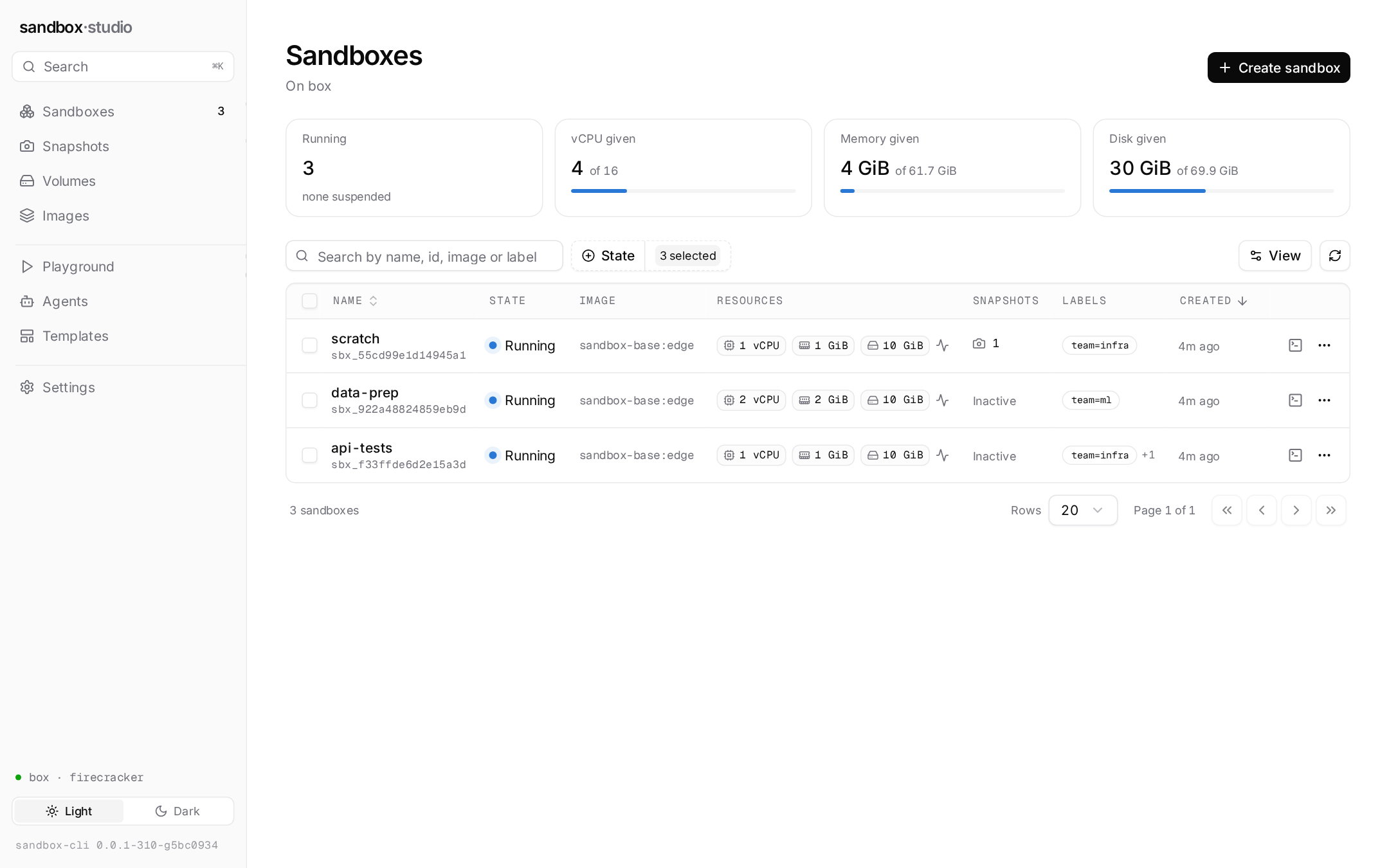
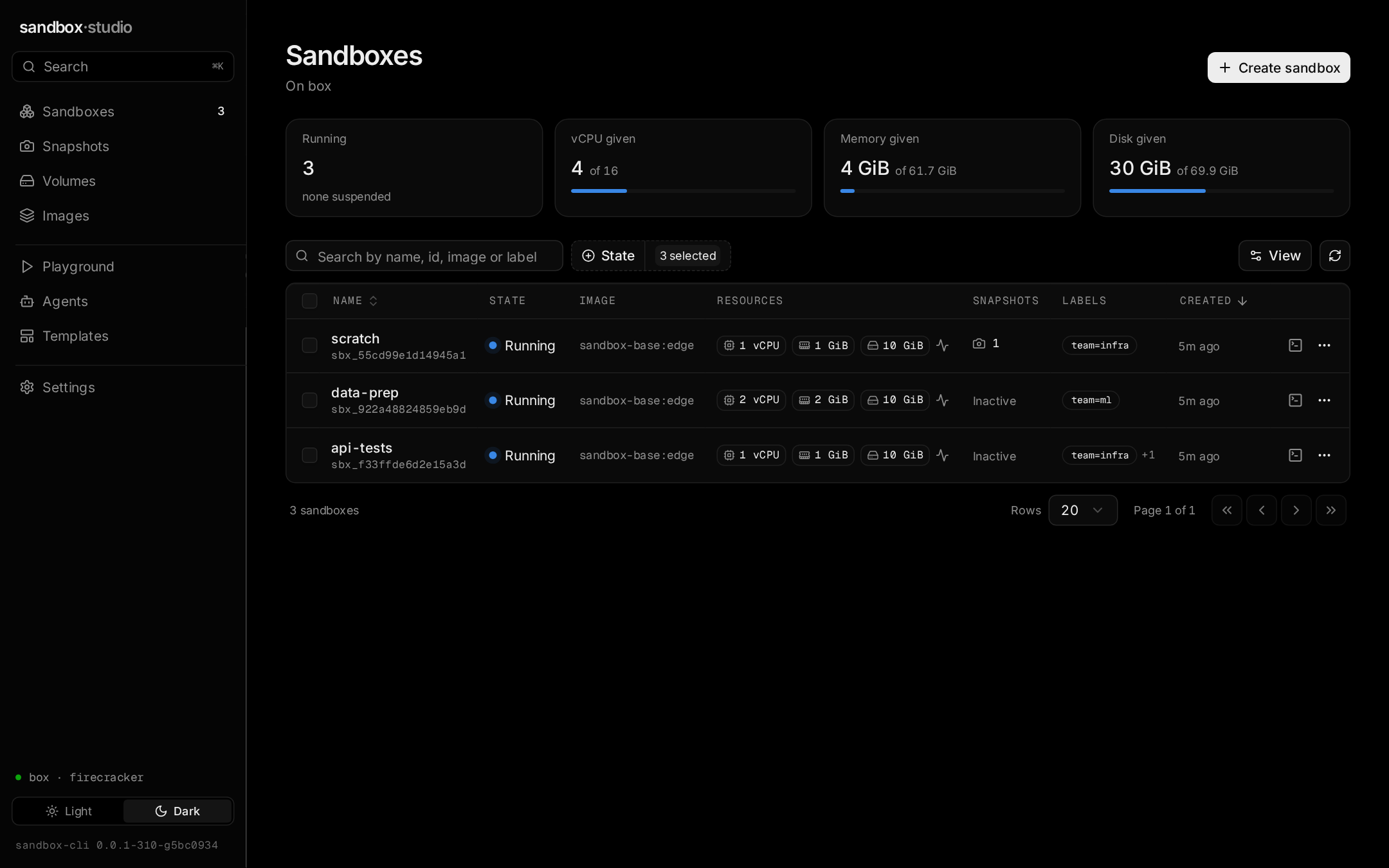
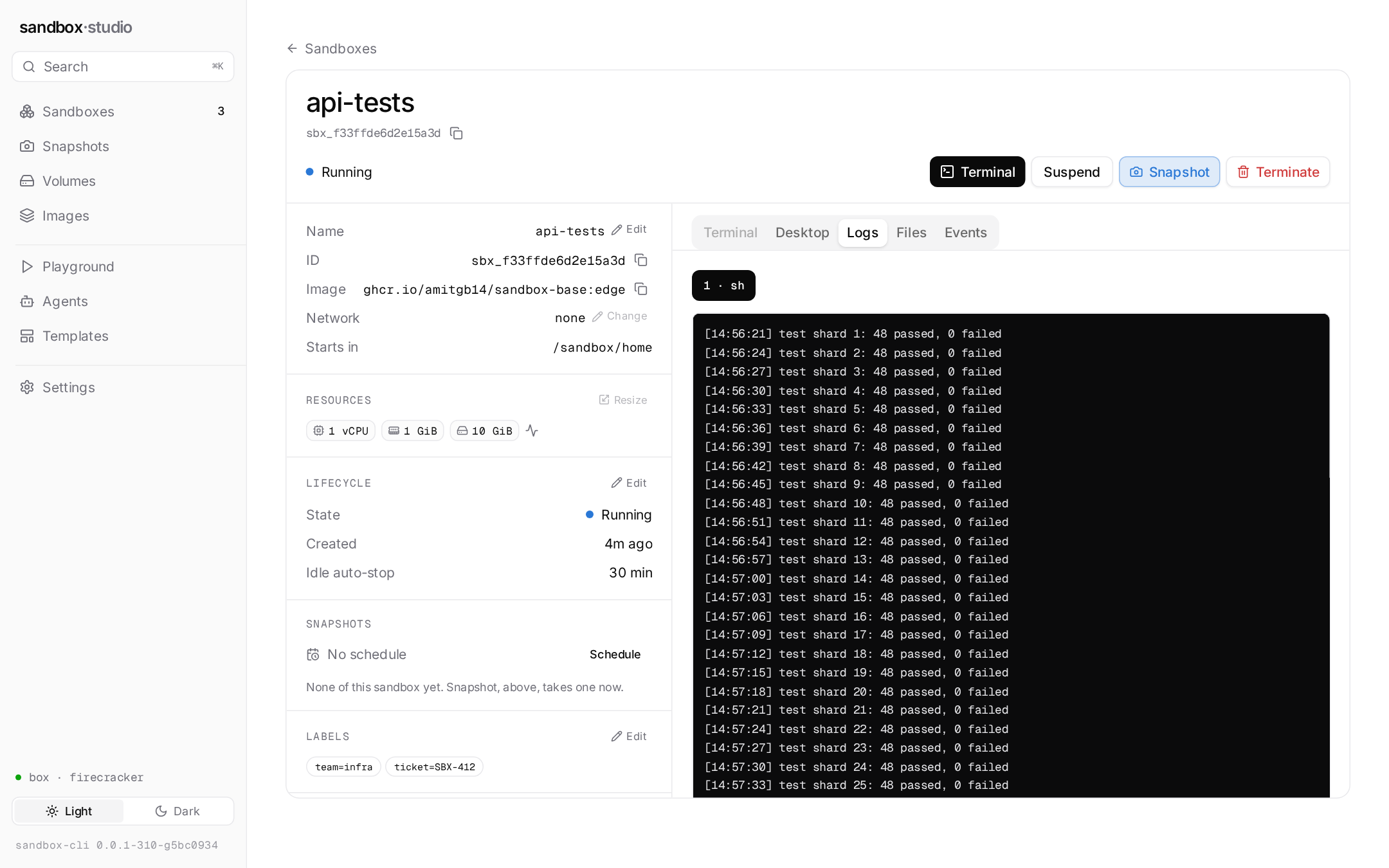
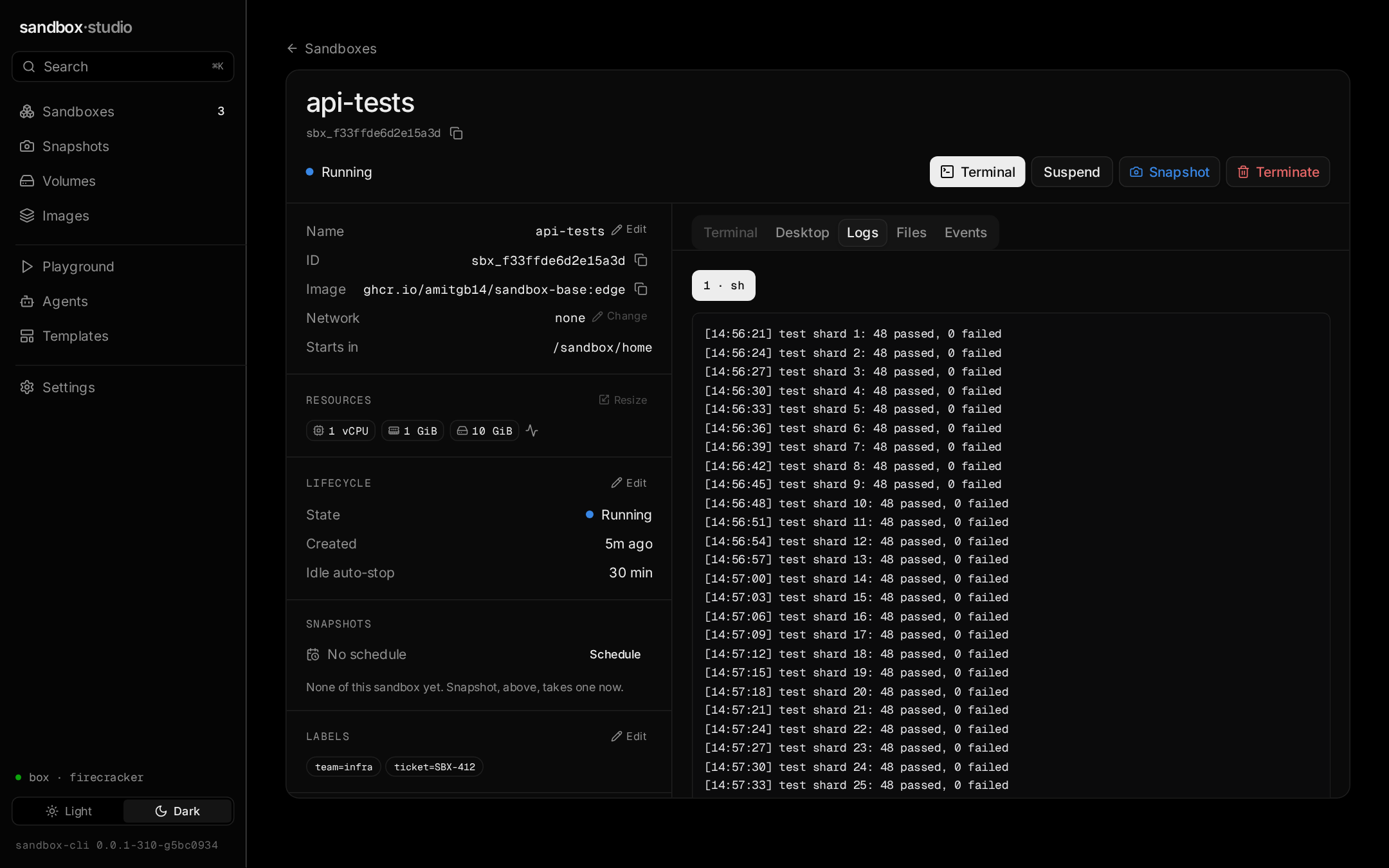
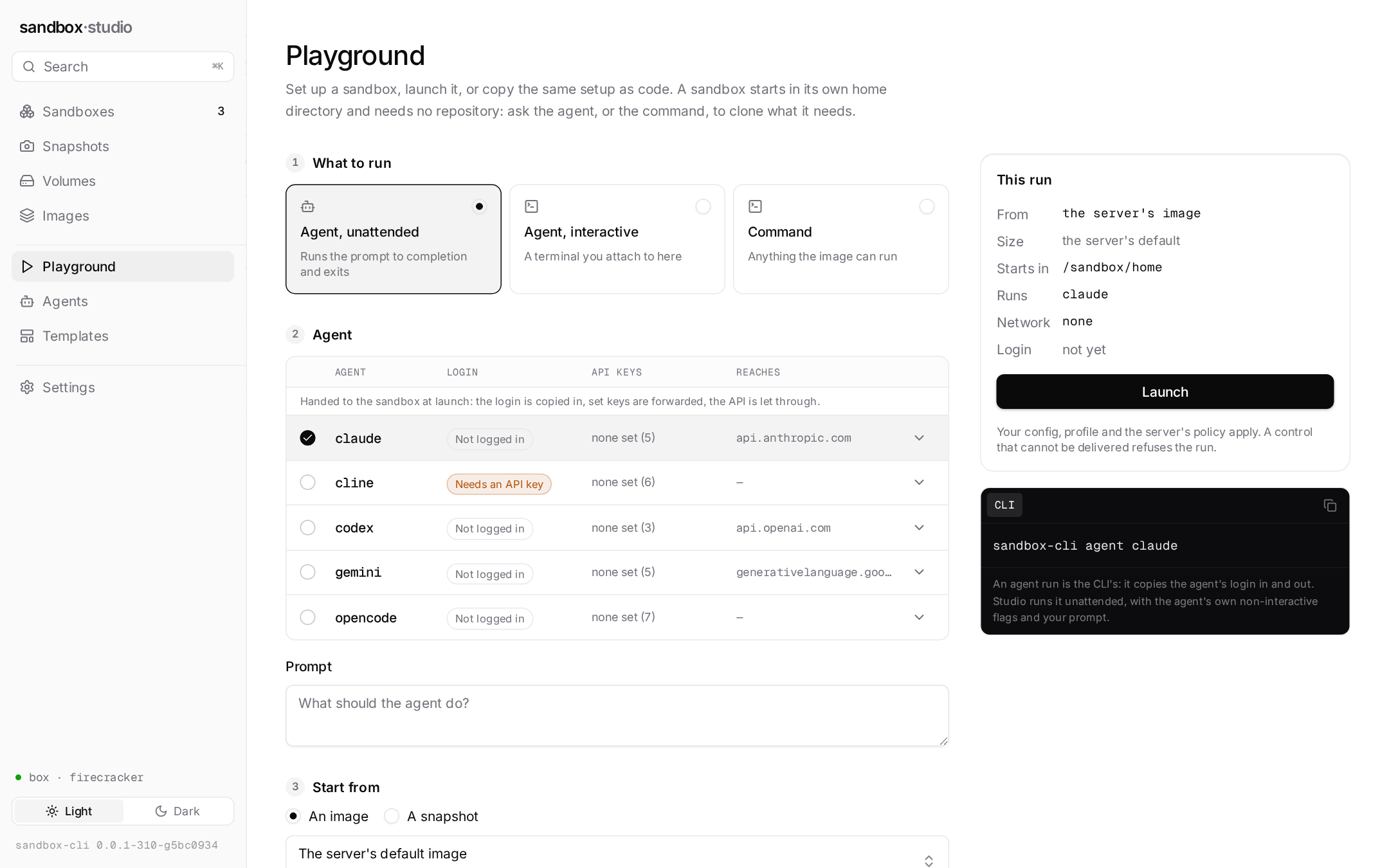
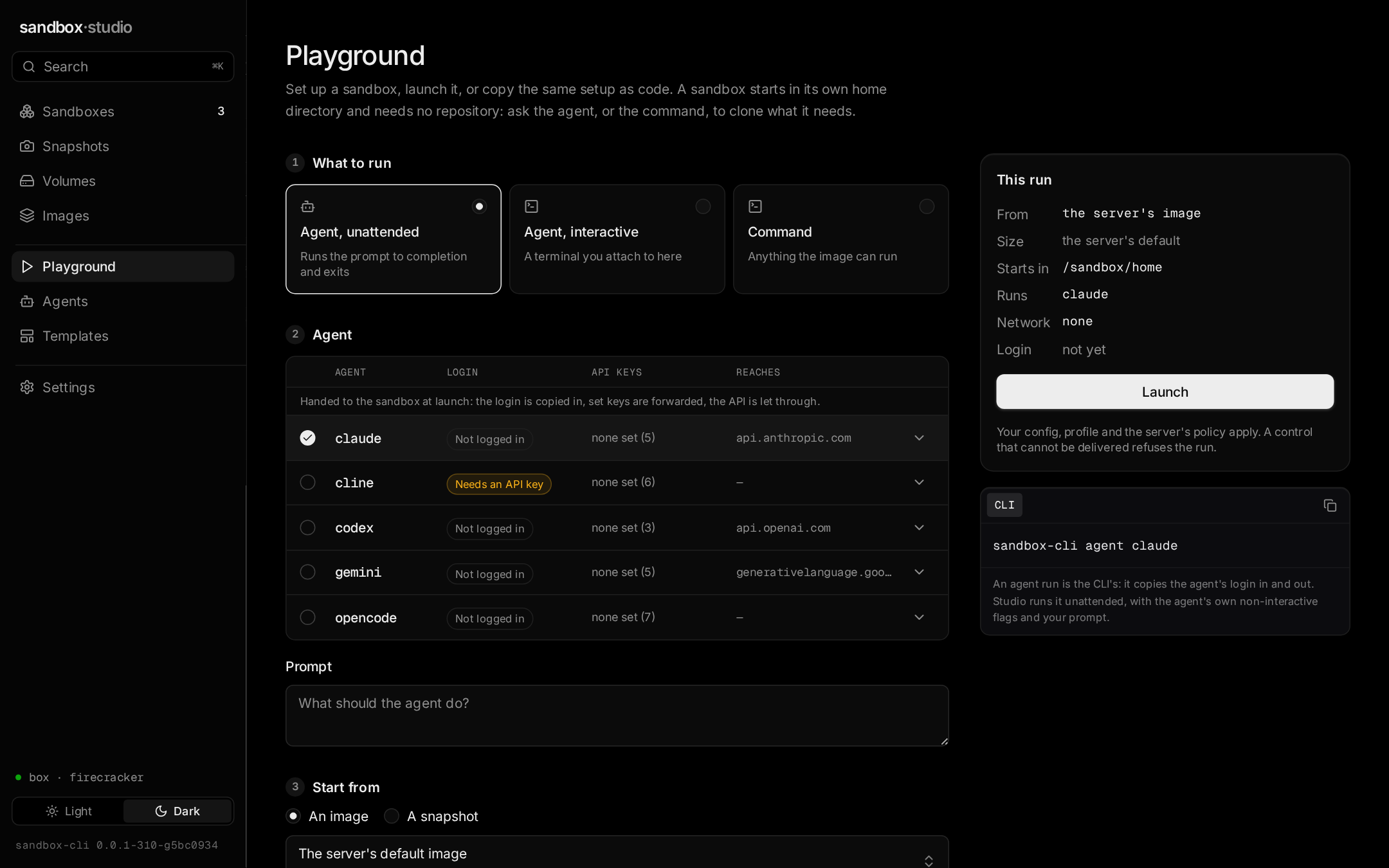
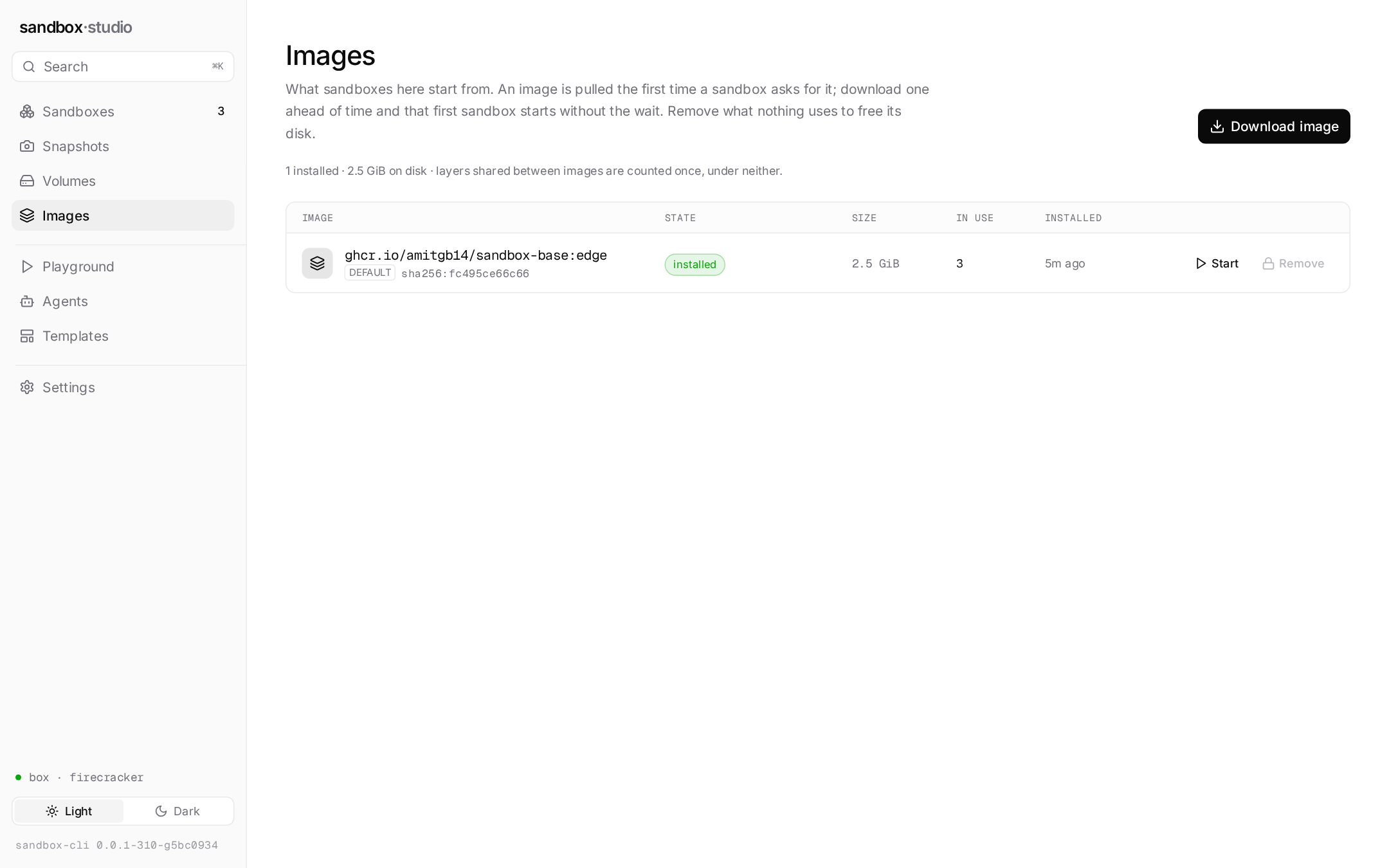
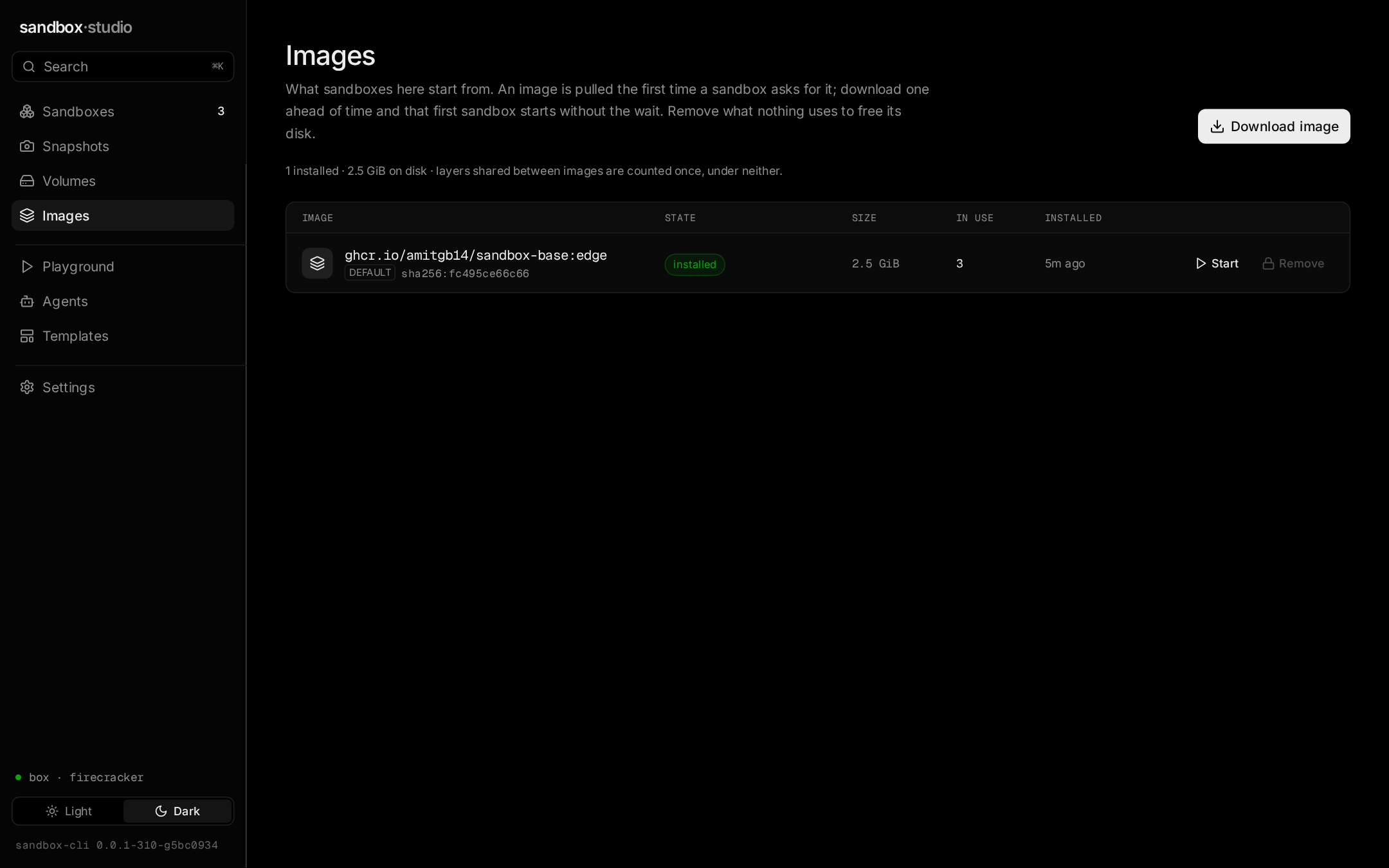
sandbox-cli studio serves it on a loopback port, for whichever sandboxd your context points at: every sandbox, wherever it was started, with a terminal, its output, files and events; a Playground that launches a command or an agent and shows the same run as code; images, templates and snapshots. Taken from a real sandboxd.
Where this sits, including where it loses
Running untrusted code somewhere safer is a crowded space. This compares kinds of tool rather than products, so it stays true; where a kind varies, the cell says so.
| sandbox-clithis project | Agents' own sandboxespolicy inside the agent | Container sandboxesa container per agent | OS sandboxingSeatbelt / Landlock | Hosted sandbox APIsmicroVMs in a provider's cloud | |
|---|---|---|---|---|---|
| IsolationHow hard the wall actually is | A VM per sandbox: its own kernel, behind a hypervisor | Process rules the agent applies to itself | Namespaces on the host's shared kernel | Kernel-enforced per process, on your kernel | A VM per sandbox |
| Your filesWhat is reachable by default | Nothing mounted; the agent clones what it needs | Your filesystem, minus what the rules forbid | The directories you mount, read-write | Your filesystem, minus what the rules forbid | Nothing; you upload what it needs |
| Runs where your code isWithout sending it anywhere | Your Mac, or a Linux machine you control | Yes | Yes | Yes | No — the provider's cloud |
| Self-hosted, nothing phoning homeFor code that cannot leave the building | sandboxd on your machine; no external control plane | Not a server | Your machine, your daemon | Not a server | Varies; often their control plane in your cloud at best |
| One API in every placeLaptop, own server, cloud | The same API, checked by one conformance suite | No API | The engine's API, local only | No API | Theirs, in their cloud |
| Egress controlStop exfiltration, keep installs working | Allowlist by name, enforced on the host, deny wins | Settings in the agent | Varies; often open by default | Coarse: on or off | Per-sandbox rules, where offered |
| Start timeFrom request to a running command | ~80 ms on Firecracker; under 1 ms from a pool | None — no VM | Sub-second | None | Fast, plus the network round-trip |
| Snapshots, fork, suspendKeep a sandbox without paying for it | On Firecracker; not yet on a Mac | No | Rare | No | Usually |
| Coding agentsLogins, fallbacks | Twelve agents; logins kept; fallbacks | Built for one agent | Some, per tool | You wire it yourself | An SDK; you build the rest |
| Audit logWhat did it run, and how did it end | Every action, on the server; env by name only | The agent's own transcript | The engine's events | No | Varies |
| Where it loses | Needs KVM or macOS 26 on Apple silicon; the cloud mode is not open yet | The wall is the agent's own promise | One kernel bug from your machine | Different tools per OS, and your files stay in reach | Your code leaves the building; you pay per second |
This is the project’s own read of the landscape, by kind of tool rather than by product, and a kind varies more than a table can show — check the tool you are weighing before choosing. What sandbox-cli adds is a VM boundary that runs where your code already is, with the same API on your laptop, your server and a cloud.
What this table does not claim. A secret handed to a sandbox reaches its environment, where the agent can read it with printenv— a broker that injects the credential so the agent never holds it is not built, and the posture is to make a leaked one cheap instead: short-lived values, an allowlist, prod’s refusal to copy logins in. A row that cannot be defended against the code gets changed here.
The client runs anywhere. Sandboxes need a VM.
Where a feature is missing on a platform, the server says so in its capabilities and refuses the request rather than running a weaker one.
| Capability | macOSApple silicon, macOS 26 | Linuxwith KVM | ElsewhereWindows, Intel Macs |
|---|---|---|---|
| Run sandboxes on this machinemacOS 26 on Apple silicon, with the native container runtime; Linux with /dev/kvm. Intel Macs and Windows run the client against a sandboxd elsewhere. | supported | supported | no — client only |
| Backend | container runtime | Firecracker | does not apply |
| Egress allowlist by nameOn Linux the firewall and proxy run on the host and need root. Without root, and on the macOS backend today, a sandbox gets no network or — where the operator permits — open egress; an allowlist request is refused there rather than served open. | not yet | yes, as root | does not apply |
| Suspend, snapshot, fork | not yet | supported | does not apply |
| Volumes | not yet | supported | does not apply |
| The client: run, agent, shell, exec, list, attach, events | supported | supported | supported |
From a cold machine to a verified sandbox
Pick where sandboxes will run. Every path ends with doctor, because installing is the easy half and what this sandboxd can actually deliver is a property of the machine.
Before you start: The macOS backend was written and tested on Linux against a fake runtime that runs the real guest agent. Its first runs on a real Mac (macOS 26.1) boot a sandbox in under a second, but the full check has not run yet. Expect rough edges; docs/local-macos.md lists the open points, and the Linux paths are the verified ones.
- 1
Have the runtime
container system start
macOS 26 or later, on Apple silicon. Each sandbox is a VM of the runtime with a kernel of its own.
- 2
Build and install
git clone https://github.com/Amitgb14/sandbox-cli && cd sandbox-cli
make studio build   # Studio's UI (Node 20+), then bin/sandbox-cli, bin/sandboxd, bin/sandbox-guestd
install -d ~/.local/bin
install -m 0755 bin/sandbox-cli bin/sandboxd bin/sandbox-guestd ~/.local/bin/
export PATH="$HOME/.local/bin:$PATH"   # this shell; put the same line in ~/.zshrc or ~/.bashrc
command -v sandboxd sandbox-cli        # both must print a path under ~/.local/bin
No published release has sandboxd yet (0.0.1 is the container design's, client only), so this builds from a checkout: Go 1.25+, and Node 20+ for Studio's UI. sandbox-cli, sandboxd and the guest agent go side by side into ~/.local/bin; sandboxd is installed, not started. Run this as yourself, not root. If command -v prints nothing, ~/.local/bin is not on your PATH: the export line puts it there, and the same line in your shell's startup file keeps it there.
- 3
Start sandboxd as a launch agent
curl -fsSL https://raw.githubusercontent.com/Amitgb14/sandbox-cli/main/packaging/launchd/dev.sandbox.sandboxd.plist \
  | sed "s#/usr/local/bin/sandboxd#$HOME/.local/bin/sandboxd#" \
  > ~/Library/LaunchAgents/dev.sandbox.sandboxd.plist
launchctl bootstrap gui/$(id -u) ~/Library/LaunchAgents/dev.sandbox.sandboxd.plist
The launch agent in the repository runs /usr/local/bin/sandboxd; the sed points it at the copy the script installed in ~/.local/bin, so nothing needs root. It listens on a unix socket only you can open, which is the CLI's default context. Egress here is none, or open if your policy allows it: the macOS backend does not enforce an allowlist yet, so it does not claim one.
- 4
Ask what this sandboxd can deliver
sandbox-cli doctor
Prints the backend, the API version, the network policy's default and ceiling, the capabilities (egress allowlist, suspend, snapshots, volumes, audit) and the limits. A request for something missing from that list is refused, never served weaker.
- 5
Run something
sandbox-cli run -- uname -a
sandbox-cli agent claude
The first run builds the image's root disk, which takes a while; later ones start in about 80 ms on Firecracker. A sandbox starts in /sandbox/home, its own home directory, with nothing of your machine mounted in: ask the agent to clone what it needs.
- 6
Open Studio
sandbox-cli studio
The same sandboxes in a browser: launch a command or an agent, use its terminal, watch its output, files and events. Served by sandbox-cli on a loopback port for the current context; open the address it prints, token and all.
One build: client, server, guest agent.
The first microVM release is not out yet, so for now you build from a checkout: Go 1.25+, and Node 20+ for Studio's UI. On Linux and Apple-silicon Macs, install all three; elsewhere, the client, which talks to a sandboxd somewhere else.
Uninstalling is cautious: --uninstall removes the binaries and reports what else is on disk — ~/.config/sandbox holds your agent logins, and sandboxd's state directory your volumes. Add --purge when you mean it.
- 1
Remove the binaries
curl -fsSL https://raw.githubusercontent.com/Amitgb14/sandbox-cli/main/install.sh | sh -s -- --uninstall
Deletes sandbox-cli, sandboxd and the guest agent from ~/.local/bin (it checks /usr/local/bin too, and reports a file it may not remove rather than stopping), then reports what else is on disk without touching it. A running sandboxd keeps running until you stop its launch agent or unit.
- 2
Then decide about logins and volumes
sh install.sh --uninstall --purge
--purge also deletes ~/.config/sandbox — your config and every saved agent login — and sandboxd's state directory, which holds image disks, your volumes and the audit log. It is a separate flag because signing you out of every agent and deleting your volumes is not something an uninstaller should do on its own.
$git clone https://github.com/Amitgb14/sandbox-clicd sandbox-cli && make studio buildinstall -d ~/.local/bininstall -m 0755 bin/sandbox-cli bin/sandboxd bin/sandbox-guestd ~/.local/bin/
The first microVM release is not out yet: 0.0.1 is the container design's, so the install script would refuse it. This builds sandbox-cli (with Studio's UI; Node 20+), sandboxd and the guest agent, and installs them side by side; starting sandboxd is one step in the setup guide below.
verified against the release checksums.txt · installs to ~/.local/bin · no root, no package manager.